Group, Page, and Sound Button
This page explains navigation through groups and pages, and how sound buttons behave.
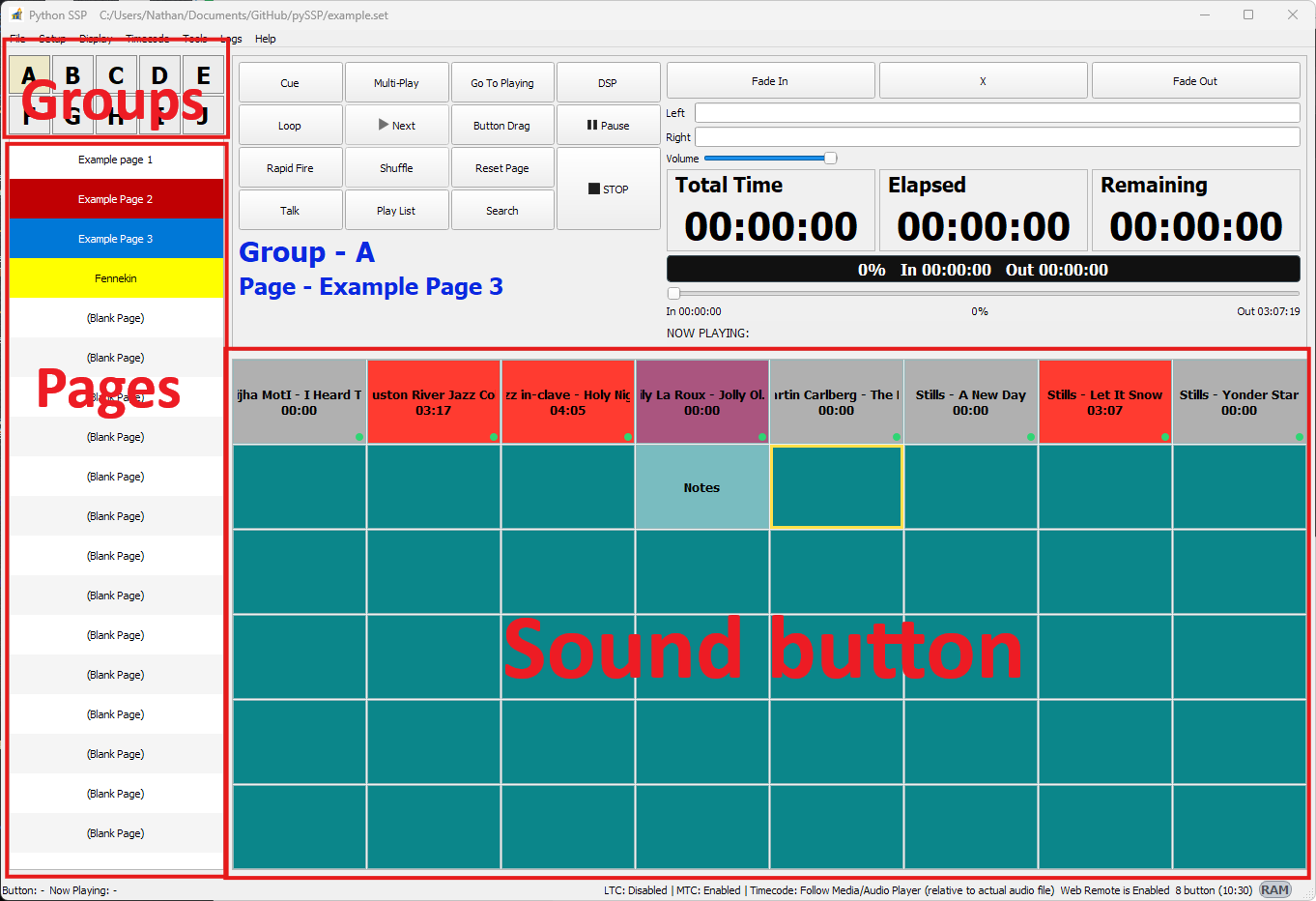
Groups and Pages
Groups:
AtoJ.Pages: 18 pages per group.
Each page contains 48 sound buttons (6 x 8 grid).
Use the group and page controls to move quickly through your set structure.
Right-Click Menus
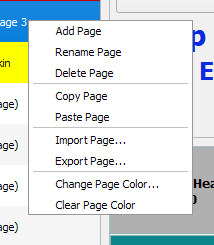
Page context menu:
Sound button context menu:
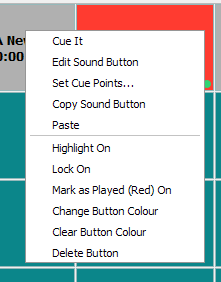
These menus provide quick actions such as assign/replace media, remove media, and cue-related operations.