pySSP Web Remote API
Base URL: http://<host-ip>:<port>
The Web Remote service is controlled from Options -> Web Remote:
Enable/disable Web Remote
Set listening port
View the LAN URL to open in browser
The Web Remote browser page now supports selecting transport mode:
HTTP(existing REST calls)WebSocket(same API paths over WS request/response)
All responses are JSON.
UI Reference Screenshots
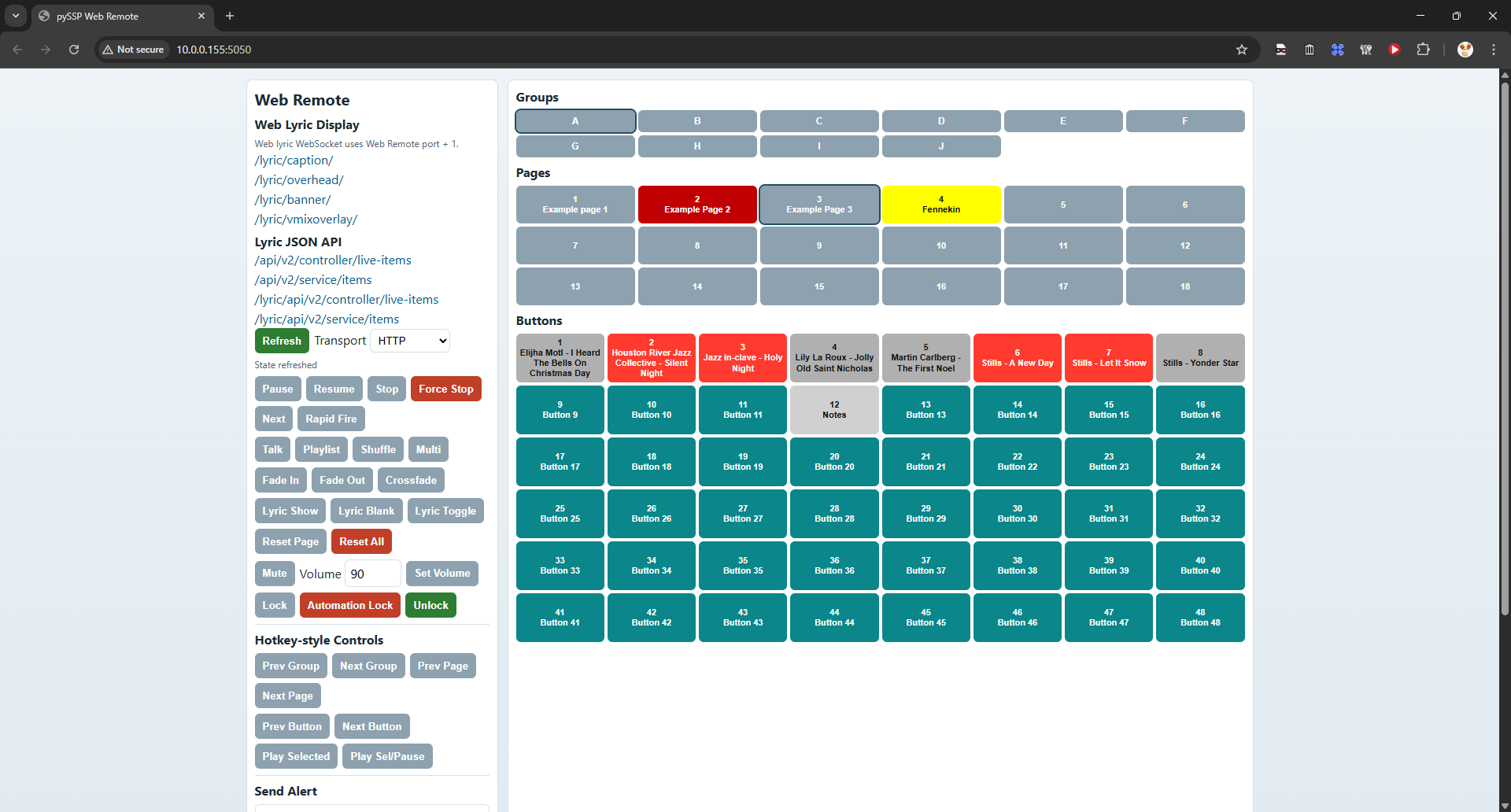
Main Web Remote page:
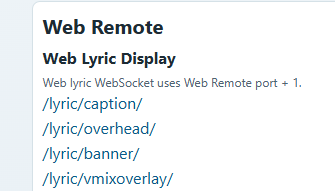
Lyric links and lyric JSON API links:
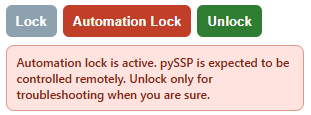
Lock / automation lock controls:
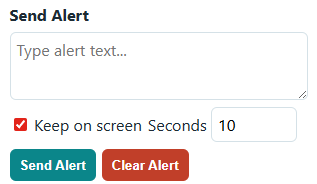
Stage alert panel section:
Success shape:
{
  "ok": true,
  "result": {}
}
WebSocket Transport (API Parity)
WebSocket endpoint:
ws://<host-ip>:<ws-port>/wswss://<host-ip>:<ws-port>/ws(if behind TLS proxy)
ws-port is the Web Remote port + 1.
Request message:
{
  "type": "api_request",
  "id": "req-1",
  "path": "/api/play/a-1-1",
  "method": "POST",
  "body": {}
}
Response message:
{
  "type": "api_response",
  "id": "req-1",
  "status": 200,
  "payload": {
    "ok": true,
    "result": {}
  }
}
Notes:
pathsupports the same HTTP API paths documented below.methodsupportsGETandPOST.bodyis optional and maps to JSON/form-style params used by the HTTP routes.Query strings in
pathare also supported (example:/api/seek?percent=33.5).Error shape:
{
  "ok": false,
  "error": {
    "code": "error_code",
    "message": "Human readable error"
  }
}
Core Control
GET /Browser UI with clickable groups, pages, and buttons plus transport controls.
GET/POST /api/healthGET/POST /api/play/<button_id>Example:
/api/play/a-1-1
GET/POST /api/pausePauses active playback. Returns an error if nothing is playing.
GET/POST /api/resumeResumes paused playback. Returns an error if nothing is paused.
GET/POST /api/stopSame behavior as clicking
STOPin the UI (fade rules apply).
GET/POST /api/forcestopImmediate stop without fade.
GET/POST /api/rapidfireGET/POST /api/playnextReturns error if not currently playing or no next track is available.
Toggle/Mode Endpoints
Mode values: enable, disable, toggle
GET/POST /api/talk/<mode>GET/POST /api/playlist/<mode>GET/POST /api/playlist/shuffle/<mode>Returns error if playlist is not enabled.
Alias routes:
GET/POST /api/playlist/enableshuffleGET/POST /api/playlist/disableshuffle
GET/POST /api/multiplay/<mode>GET/POST /api/fadein/<mode>GET/POST /api/fadeout/<mode>GET/POST /api/crossfade/<mode>GET/POST /api/lyric/<mode>Mode values:
show,blank,toggleControls lyric output visibility for Web Lyric Display and native Qt Lyric Display.
Playback Selection / Volume
GET/POST /api/playselectedMimics the
Play Selectedhotkey behavior.
GET/POST /api/playselectedpauseMimics the
Play Selected / Pausehotkey behavior.
GET/POST /api/volume/<level>Set master volume, where
levelis0..100.
GET/POST /api/muteMimics the
Mutehotkey toggle behavior.
GET/POST /api/seek/percent/<value>Seek transport by percentage (
0..100, supports decimal values).
GET/POST /api/seek/time/<value>Seek transport by time string (
mm:ss,mm:ss:ff, orhh:mm:ss).
GET/POST /api/seekSame as above using params:
percent=<0..100>or
time=<mm:ss | mm:ss:ff | hh:mm:ss>
Lock Control
GET/POST /api/lockEnables the normal lock screen.
Uses the configured unlock method for local UI unlock.
GET/POST /api/automation-lockGET/POST /api/automation_lockEnables automation lock.
Automation lock is intended for remote/API control scenarios.
On the local pySSP UI, automation lock shows an extra red warning box.
Local unlock from the pySSP UI requires typing
sure to unlock.If password unlock is enabled, local automation unlock also requires the password.
While automation lock is active, Web Remote and API control still work.
GET/POST /api/unlockReleases either normal lock or automation lock.
Web API unlock bypasses the local unlock method and bypasses password prompts.
Stage Alert
GET/POST /api/alertSend alert text to Stage Display.
Supported params (query, form, or JSON):
text(required): alert textkeep(optional):true/false(defaulttrue)seconds(optional):1..600, used only whenkeep=falsemode(optional):disableto clear alertclear(optional):trueto clear alert
GET/POST /api/alert/clearShortcut to clear current alert.
Query Endpoints
GET /api/queryReturns current high-level app state.
Includes:
screen_locked:truewhen pySSP is currently lockedautomation_locked:truewhen the current lock is automation lock
Includes
playing_tracksarray with active song title(s), button id(s), and remaining time (remaining,remaining_ms).
GET /api/query/button/<button_id>Example:
/api/query/button/a-1-1
GET /api/query/pagegroup/<group>Example:
/api/query/pagegroup/aEach page entry includes
page_nameandpage_color.
GET /api/query/page/<group>-<page>Example:
/api/query/page/a-1Includes page metadata (
page_name,page_color) andbuttonsarray with each button state (assigned/locked/marker/missing/played/is_playing/title).Marker buttons include
marker_textso the web remote can display place marker text.
ID Format
Button ID format:
<group>-<page>-<button>Group:
A..J(alsoQfor cue page)Page:
1..18(Qsupports only page1)Button:
1..48
Example Calls
curl http://192.168.1.10:5050/
curl http://192.168.1.10:5050/api/play/a-1-1
curl http://192.168.1.10:5050/api/talk/toggle
curl http://192.168.1.10:5050/api/resume
curl http://192.168.1.10:5050/api/playlist/enable
curl http://192.168.1.10:5050/api/playlist/shuffle/enable
curl http://192.168.1.10:5050/api/playnext
curl http://192.168.1.10:5050/api/lock
curl http://192.168.1.10:5050/api/automation-lock
curl http://192.168.1.10:5050/api/unlock
curl http://192.168.1.10:5050/api/query